We accept both ACH and credit card. Please note that we have a 3% convenience fee if a debit/credit card is used.
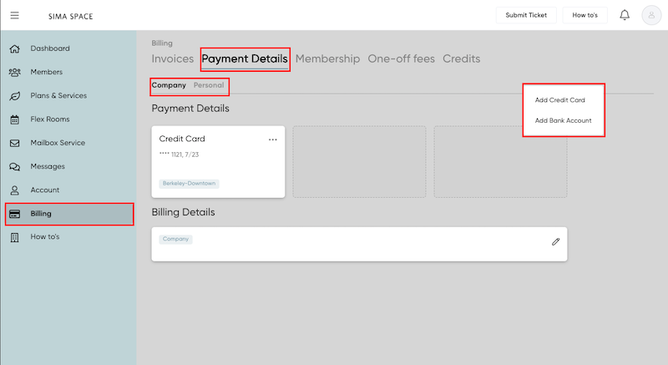
Here are the steps to add a Payment Method
1) Choose the card icon from the left side menu.
2) Tap on the "Payment Details" tab.
3) You can add payment information on either your Company or Personal profile.
4) There is an Add button on the right side; please choose your preferred method.
Here are the steps to add a Payment Method
1) Choose the card icon from the left side menu.
2) Tap on the "Payment Details" tab.
3) You can add payment information on either your Company or Personal profile.
4) There is an Add button on the right side; please choose your preferred method.
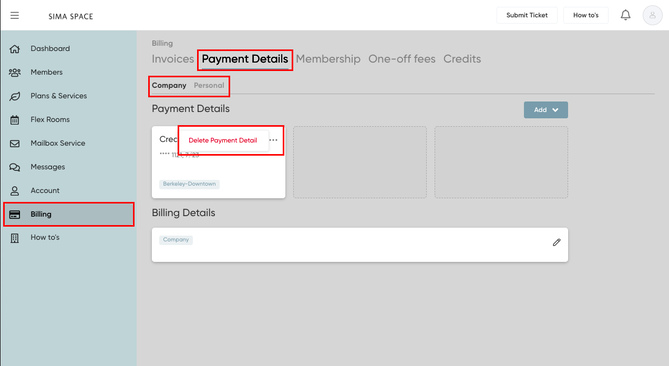
Here are the steps to delete a Payment Method
1) Choose the card icon from the left side menu.
2) Tap on the "Payment Details" tab.
3) Choose the payment method you want to delete; click on the 3 ellipses.
4) Tap on "Delete Payment Method".